Three steps
Opening is always subject to identification, document verification, customer profile assessment and anti-money-laundering checks.
Application
You download the app and register. You need a valid European ID document or passport, and proof of address.
Verification
We check identity and documents and run the required anti-money-laundering checks.
Activation
Once your application is complete you can activate your cards. Timing depends on how complete the documents are.
From the app to your first payment
Six chapters, in the order you meet them. The screens are the real ones from the app; the data inside is test data.
What you need
- A smartphone with a working camera
- An email address and a mobile number, for the SMS code. Some non-European numbers may not receive SMS messages
- Residence in a European country
- A valid European ID document or passport
- Proof of address in your name, for example a utility bill, showing the same address you enter in the app
01Getting the app
-
 1
1Download the app
On the App Store or Google Play. It is free.
Tip Check that the developer is Tigerinvest a.s. Never download it from a link you received in a message.
-
 2
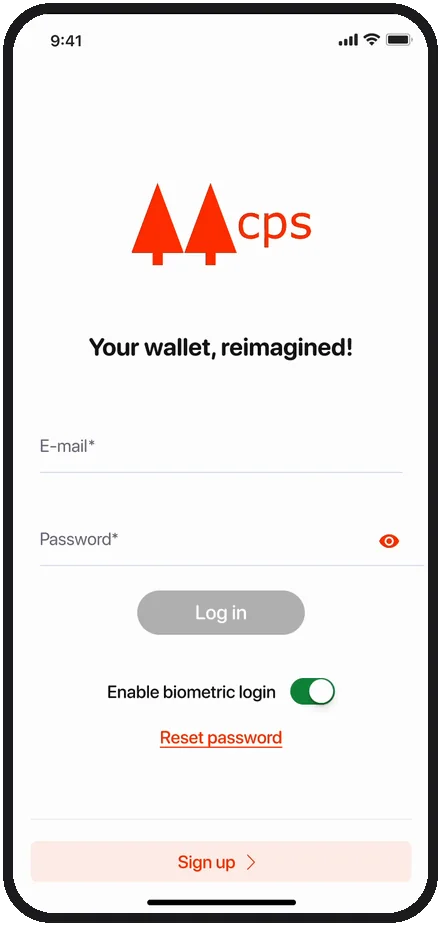
2Tap Sign up
Sign up creates a new account. Log in is for people who already have one.
02Creating the account
-
 3
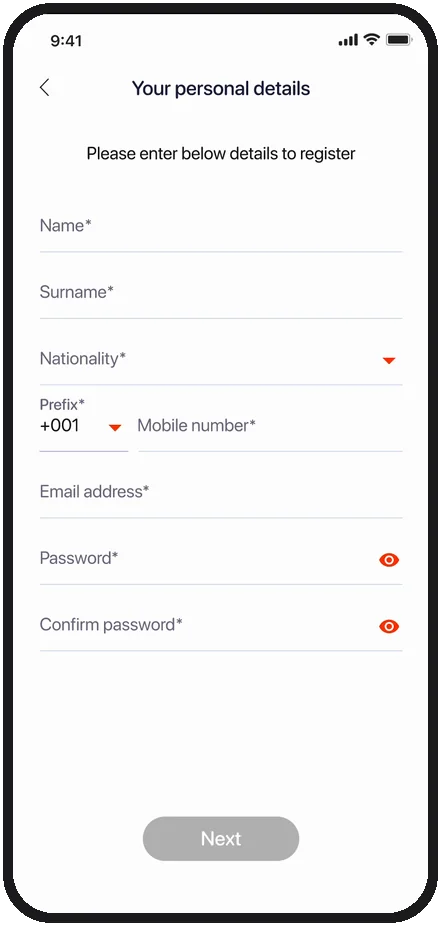
3Your details
Name and surname as on your document, nationality, mobile, email and a password with at least one number, one capital letter and one special character, typed twice.
-
 4
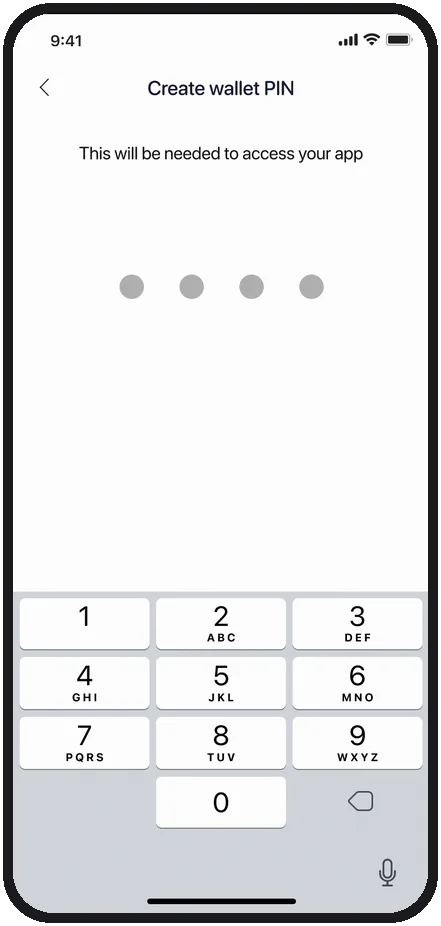
4The PIN
Four digits, typed twice. The app asks for them every time you open it, and it is the same PIN you use with your card.
Tip No birth dates and no 1234. The PIN is for nobody else, not even us.
-
 5
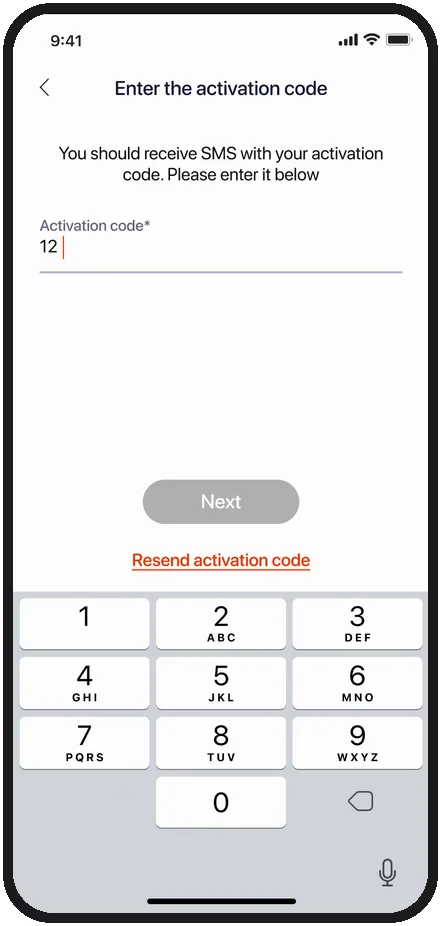
5The code by SMS
It arrives on the number you entered. Copy it into the field and tap Next.
Tip Not arriving? Tap Resend activation code on the same screen.
03Verifying your identity
-
 6
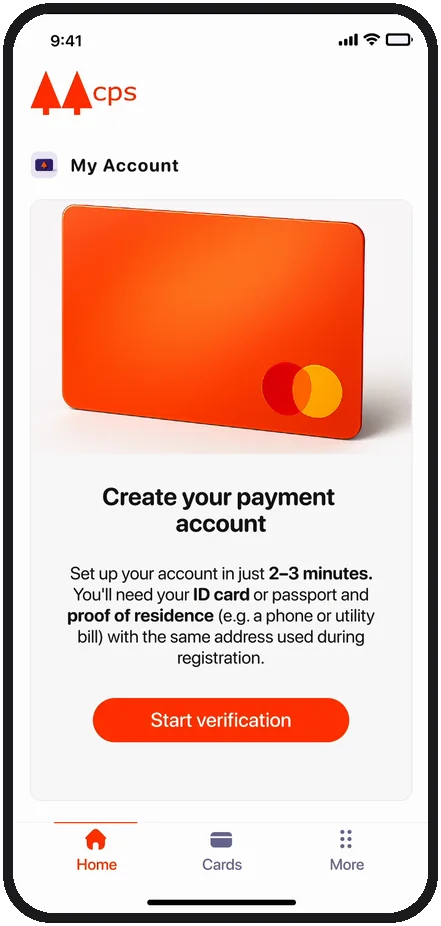
6Start the verification
From the home screen, tap Start verification. It takes two or three minutes.
-
 7
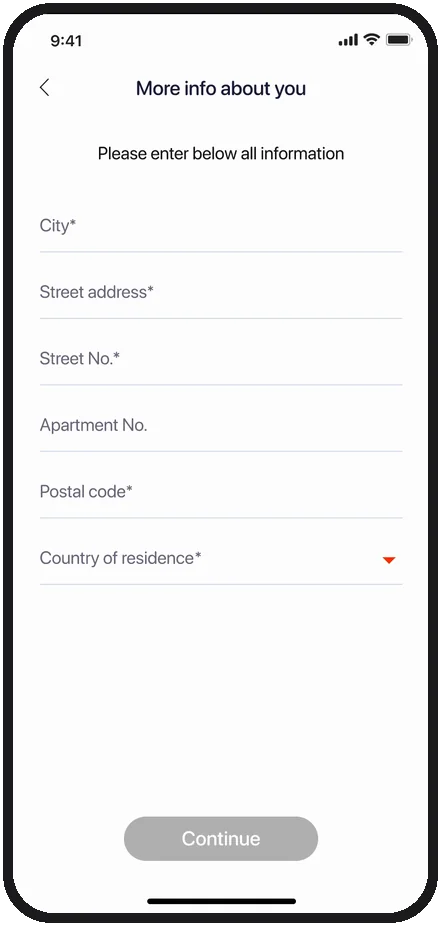
7Your address
City, street, number, postal code and country of residence. Then Continue.
Tip Enter the same address as on your bill: if it does not match, the verification stops.
Then a photo of your document and a selfie
The verification opens inside the app. It asks for camera access: you photograph your document and take a selfie, which checks that the face matches the document. If the answer is negative, do not worry: we will contact you within 24 working hours, by email.
To get it right the first time
- Even light, daylight if possible, and no flash
- The document on a dark table, with all four corners in the photo
- A document that has not expired
- Face uncovered: no sunglasses, hat or mask
04The account
-
 8
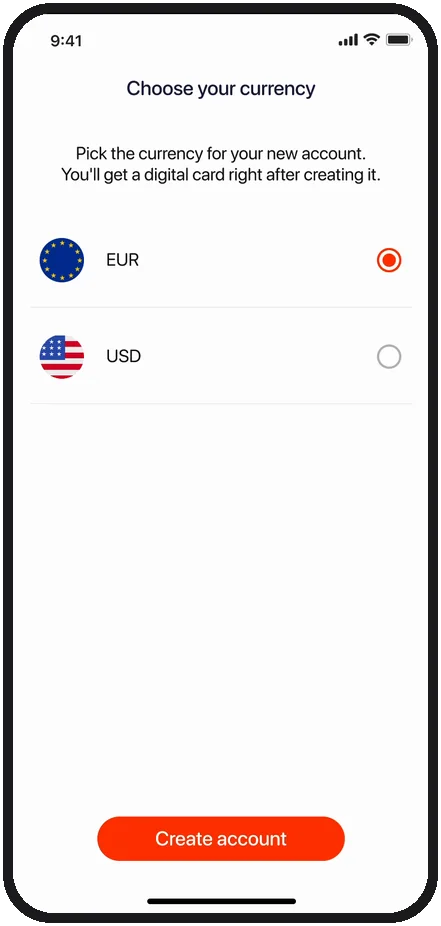
8Pick your currency
Euros or dollars, then Create account. Right after, you have a digital card.
Tip The limit is 10,000 euros a month. With Additional verification you unlock it: 10,000 a day.
-
 9
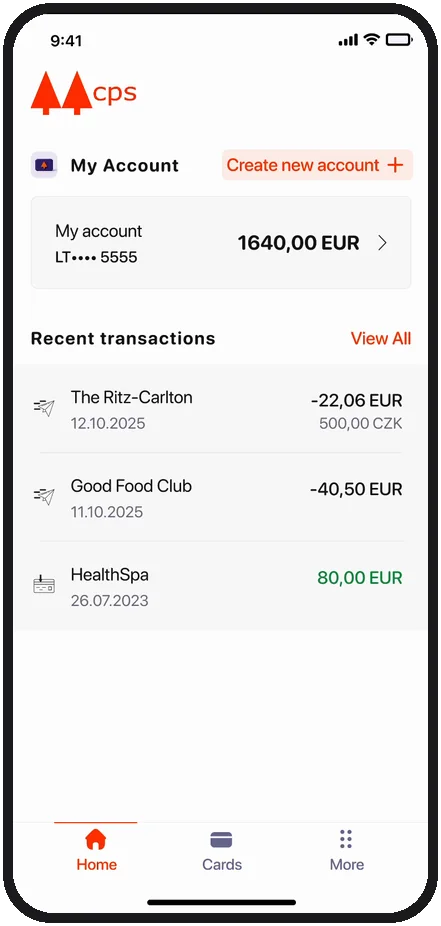
9The account is ready
Balance at the top, latest activity below. Three tabs at the bottom: Home, Cards, More.
-
 10
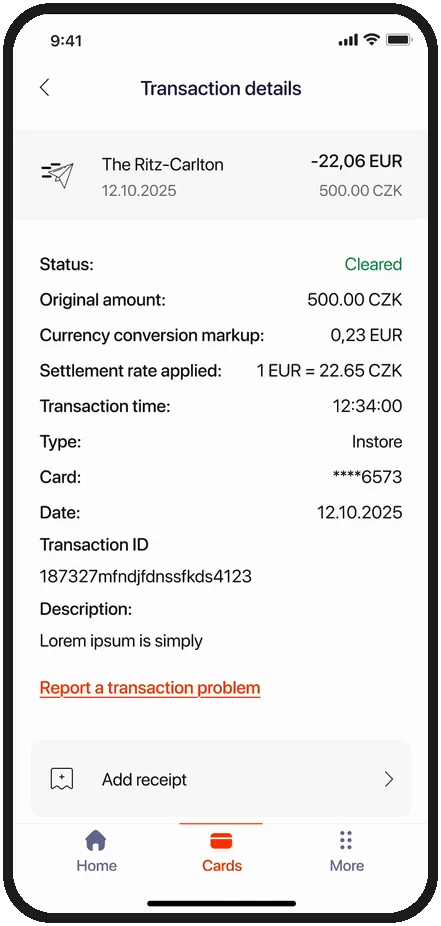
10Every payment, in full
Tap a payment to see date, amount, rate applied and status. You can attach the receipt yourself.
05Receiving a transfer
-
 11
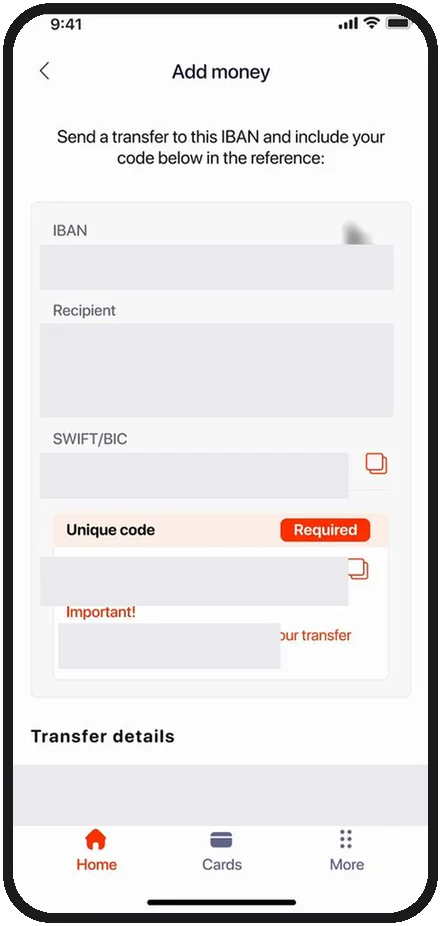
11The details to give the payer
Tap the account, then Add money: copy the IBAN, beneficiary, SWIFT/BIC and the unique code, and send them to the person paying you. Instant in 5 minutes, standard up to 5 days.
Tip In the reference, only the unique code, exactly as you see it. Without the code the transfer cannot be matched automatically; with other text it is processed by hand, in 2 working days.
06The card
-
 12
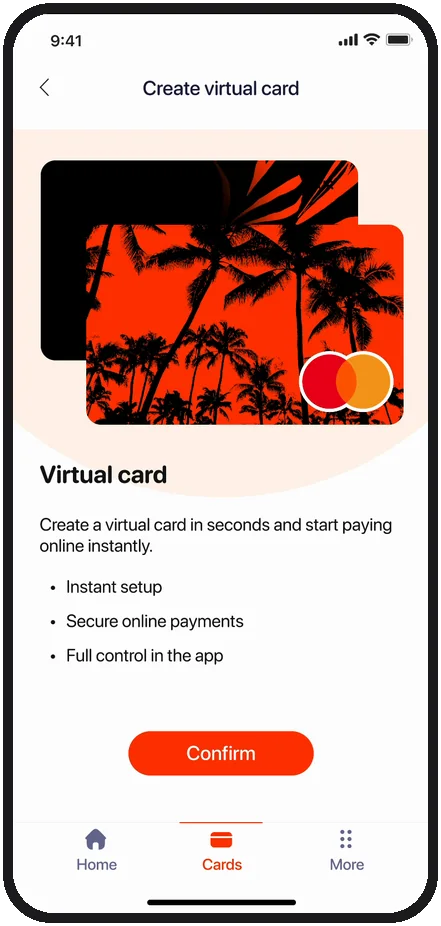
12The virtual card
Created in seconds, to buy online without the number of the card in your wallet going anywhere.
Tip You can have up to 3 cards. The eye on the card shows the number, expiry date and CVV.
-
 13
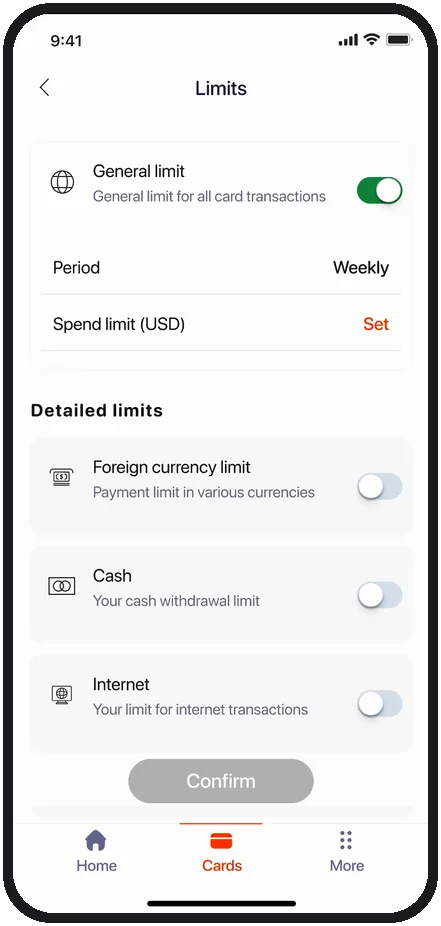
13You set the limits
General limit, cash, online payments, foreign currency: switch them on and off whenever you want.
The documents you need
Two documents are needed, and nothing else: • A valid European ID document or passport • Proof of address During verification we may come back to you if a document is unreadable or expired.
Opening times depend on the completeness of the documents provided and the outcome of internal checks. In many cases verification can be completed quickly, but if documentation is incomplete, additional checks are needed or clarifications are requested, the process may take longer.
No. Accounts are currently opened only to individuals resident in a European country. Every application is still assessed individually, on the documents provided and the applicable rules.
The whole app, step by step
From sign-up to your card: an illustrated guide with the app screens, to read at your own pace.